

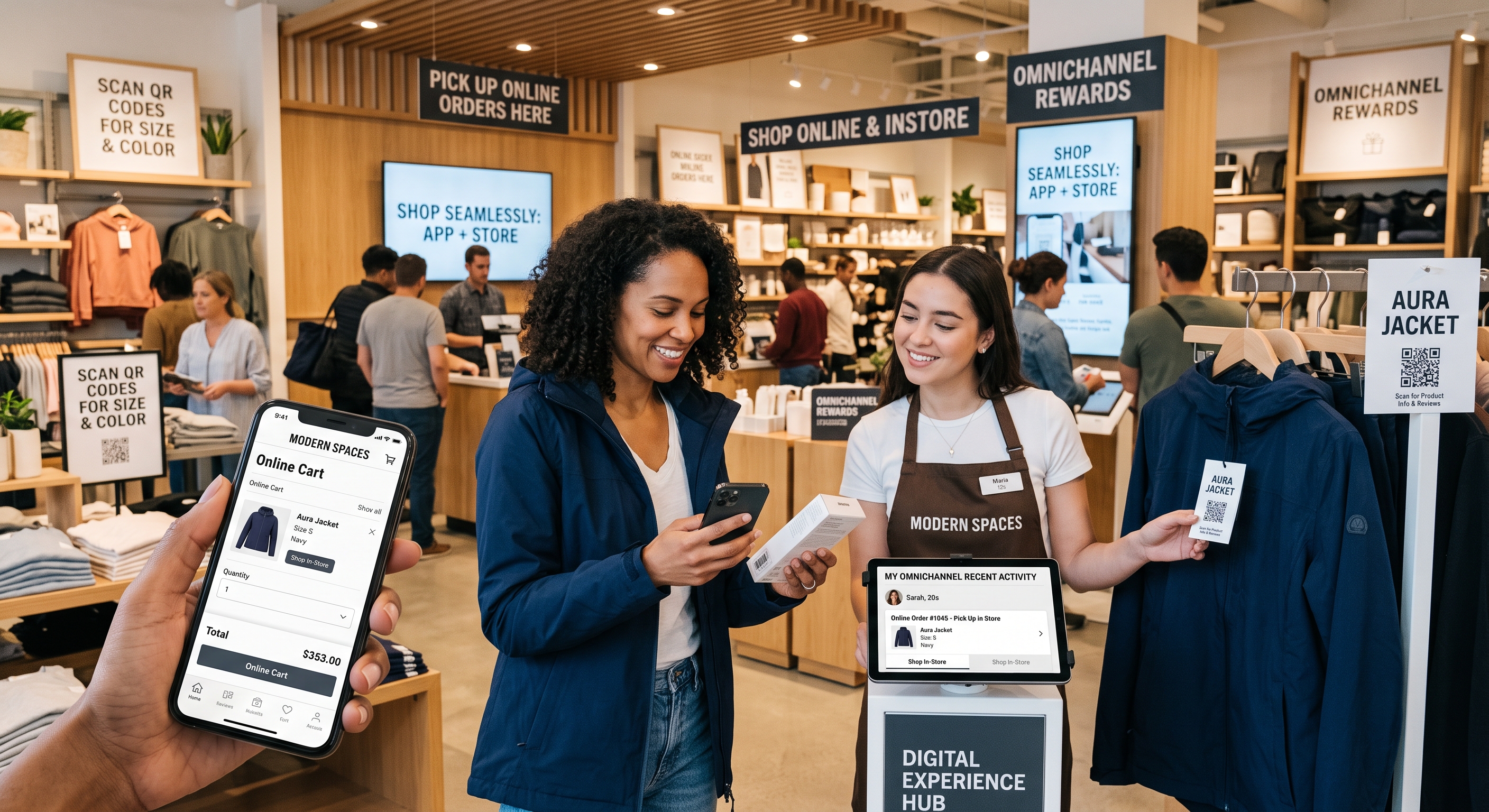
An omnichannel retail strategy lives or dies in moments most executives never see, and I learned that lesson standing on a shop floor.
A few years ago, I was in a client’s flagship store watching a woman hold up her phone to a sales associate. According to the website, the boots she wanted were available at that location. So the associate checked the back room, checked the system, and came back empty handed. As it turned out, the website had been pulling stock numbers from a nightly batch file, and the boots had sold that morning.
She didn’t argue. Instead, she just left, and I’d bet money she bought those boots somewhere else before she reached her car.
That moment captures what most retailers get wrong. In fact, many think they have an omnichannel retail strategy simply because they have a website, a store, an Instagram account and maybe a marketplace listing. What they actually have, however, is four separate businesses wearing the same logo. While the customer sees one brand, the retailer runs four systems that barely speak to each other.
I’ve spent a long stretch of my career helping retailers close that gap, from single location boutiques still figuring out how to start an online store to regional chains with dozens of doors. For that reason, this article is the practical version of what I tell them. It’s not the conference keynote version. Rather, it’s the version that deals with inventory files, commission disputes and the store manager who thinks the website is stealing her sales.
What an Omnichannel Retail Strategy Actually Means
First, let me clear up the vocabulary, because it causes real confusion.
Multichannel means you sell in more than one place, such as a store and a website. However, each channel runs on its own, with its own inventory pool, its own customer list and often its own pricing.
Omnichannel, on the other hand, means those channels share the same brain. For example, the store knows what the customer bought online, and the website knows what’s on the shelf at the store down the road. Likewise, a return can go back through any door. In other words, the customer moves between channels and the business moves with them.
A real omnichannel retail strategy is therefore less about adding channels and more about removing the walls between the ones you already have. In my experience, most retailers would get better results from connecting two channels properly than from launching a third.
The test I use is simple. Pick any customer and ask whether your store staff can see what that person bought online last month. Next, check whether your website can tell that person, accurately and right now, if an item is sitting on a shelf ten minutes from their house. Finally, find out if that person could return an online purchase at the counter without a phone call to head office. If the answer to any of those is no, then you have work to do.
Why an Omnichannel Retail Strategy Pays Off
I don’t ask clients to take this on faith, because the numbers have been consistent for years.
The most cited research here is still the Harvard Business Review study by Sopadjieva, Dholakia and Benjamin, which tracked the behavior of 46,000 shoppers at a major US retailer. Most of them, 73%, used more than one channel during their shopping, while only 7% shopped exclusively online and 20% only in stores. More importantly, those multichannel customers spent about 4% more per store visit and 10% more online than people who stuck to one channel, and within six months they made 23% more repeat trips to the retailer’s stores.
That last figure is the one I underline for clients. After all, connected shoppers come back, and loyalty is where the real margin lives.
Stores Still Carry Most of the Spending
There’s also a reality check that a lot of ecommerce hype ignores. According to the US Census Bureau, retail ecommerce reached $340.2 billion in the second quarter of 2026, up 12.2% year over year, and made up 17.1% of total retail sales on a seasonally adjusted basis. Clearly, online is growing fast. Still, flip that number around. Roughly 82.9% of US retail spending in that quarter still went through stores and other channels outside ecommerce.
So the question was never store versus website. Instead, the store is where most of the money still changes hands, while the website is where most journeys now begin. As a result, a good omnichannel retail strategy connects them, because that’s where the growth is.
Personalization adds another layer. In particular, McKinsey research has found that getting omnichannel personalization right can lift revenue by 5 to 15 percent across a retailer’s whole customer base. Of course, you cannot personalize across channels if your channels don’t share data. That’s why connection comes first.
Step One: Audit Before You Build Your Omnichannel Retail Strategy
Every retailer I’ve worked with wants to start with software. Even so, I ask them to wait about two weeks.
Before you spend a cent, walk the customer journey yourself. Better yet, have three or four people who don’t work in head office do it. Specifically, ask them to:
- Find a product on your website and check whether it’s available at their nearest store
- Buy online and pick up in store
- Purchase in store and then try to return online, or the reverse
- Sign up for your email list at the register
- Call customer service about an order placed in store
Meanwhile, write down every place they hit friction, every “sorry, that’s a different system,” and every time a staff member says “the website is separate from us.”
Then do the same thing from the inside. To start, map where your product data lives, where inventory counts come from, how often they sync, and who owns the customer record. In most mid sized retailers, for instance, I find at least three versions of the truth: one in the point of sale, one in the ecommerce platform and one in a spreadsheet somebody in merchandising keeps updated by hand.
Ultimately, that audit becomes the roadmap for your omnichannel retail strategy. Not only does it tell you which gaps are hurting customers right now, but it also stops you from buying a shiny tool to solve a problem you don’t actually have.
Step Two: Fix Inventory Truth First
If I could only fix one thing for a retailer, it would be inventory visibility. Simply put, nothing destroys trust faster than telling a customer something is available when it isn’t. Good ecommerce inventory management is where every connected experience starts. Here’s what good looks like.
One Inventory Pool, Many Locations
Your system should treat every store, warehouse and back room as a location within one pool, not as separate businesses. Both the website and the store then read from that same pool.
Sync as Close to Real Time as Your Stack Allows
After all, nightly batch updates are how my client lost those boots. Consequently, if you sell fast moving items, you need updates every few minutes at worst.
Safety Stock Buffers
No sync is perfect, because shrink, misplaced items and miscounts happen. For that reason, I usually recommend holding back one or two units per store per SKU from online availability for fast sellers. Admittedly, you’ll lose a few online orders. On the plus side, you’ll avoid a lot of angry pickups.
Cycle Counting That the Store Actually Does
Store teams need a reason to keep counts accurate. Once they understand that a bad count means a customer showing up for something that isn’t there, and that they’re the ones who face that customer, accuracy tends to improve.
Inventory accuracy may be unglamorous. Nevertheless, it’s the foundation every omnichannel retail strategy depends on. Click and collect, ship from store, endless aisle, local inventory ads: none of it works on bad numbers.
Step Three: Unify Customer Data Without Boiling the Ocean
The second pillar is a single view of the customer. Unfortunately, this is where retailers tend to overreach, buying an enormous customer data platform and then spending eighteen months on integration before a single associate sees anything useful.
Instead, start smaller. Shopify’s enterprise guidance puts it well: a unified customer data model built on first party data sits at the core of a successful omnichannel retail strategy. The key words, of course, are first party. In other words, this is data the customer gave you directly, through purchases, accounts, loyalty sign ups and preferences.
In practice, I push clients toward three basic moves:
- Capture identity at the register. Collect an email or phone number at checkout, and tie it to the same customer record the website uses. Also, offer a reason, such as digital receipts, loyalty points or easier returns.
- Merge purchase history. Online and in store orders should sit on the same customer profile. That way, when the associate looks someone up, they see everything.
- Put that view in front of store staff. A tablet or the POS screen itself works fine. Otherwise, if your associates can’t see it, the data isn’t doing its job.
You don’t need predictive modeling on day one. Rather, you need an associate to be able to say “I see you bought the navy version last spring, and this one just came in” without guessing.
Step Four: Make Your Website Work for Your Store
Many retailers still treat their website as a competitor to their stores. However, I’d argue the opposite. For most shoppers, your website is actually the front door to your store. Here’s how to make it act that way.
Show Local Availability on Product Pages
Let the shopper pick their store and see stock levels right on the product page. Surprisingly, this alone changes how people use your site, because it turns browsing into a store visit.
Offer Buy Online, Pick Up in Store
These days, click and collect is no longer optional. Capital One Shopping Research estimates US click and collect sales will reach about $177.9 billion in 2026, a 15.3% rise over the prior year, and 68% of consumers have used it more than once, with 22.1% doing so regularly. Make the pickup option obvious at checkout too; it’s a simple piece of ecommerce checkout optimization that many stores bury. Beyond that, the extra benefit is what happens at pickup. Shoppers who come in to collect an order often buy something else while they’re there, so design the pickup point with that in mind. In short, don’t bury the pickup counter behind a stockroom door.
Build Real Local Store Pages
Every location deserves its own page with accurate hours, address, parking details, services offered, staff picks and local events. In addition, these pages do serious work for local search, and they follow the same principles as any solid ecommerce SEO guide. Just make sure each one matches your Google Business Profile exactly.
Let People Book Appointments
Whether it’s fittings, consultations, repairs or personal shopping, if your store offers a service, let people reserve it online.
Treat the Store Locator Like a Product
In many cases, it’s the most visited page on a retail site after the home page. Therefore, make it fast, mobile friendly and useful.
Step Five: Make Your Store Work for Your Website
The connection also has to run both ways. In other words, your store should feed your digital channels, not just receive traffic from them.
- Endless aisle. When the store is out of a size or color, the associate should be able to order it on the spot for home delivery or pickup at another location. In fact, I’ve seen this single change recover a noticeable share of what used to be walk outs.
- Ship from store. Essentially, stores are small warehouses sitting close to your customers. Using store stock to fulfill online orders can therefore cut delivery times and clear inventory that isn’t moving locally. That said, it does require clear processes so store teams aren’t drowning in picking during peak selling hours.
- Capture subscribers in store. A customer standing in your store is warm. So offer digital receipts, a loyalty program or a small first purchase incentive to get their email or phone number with consent.
- Use QR codes with a purpose. Rather than slapping them on every shelf, use them to link to reviews, care guides, size charts, or extra colors only stocked online.
- Equip associates with mobile tools. A clienteling app or mobile POS lets staff check stock, look up customers and complete sales anywhere on the floor. Moreover, it signals to customers that your store and website are one business.
Step Six: Get Returns Right
Returns are where omnichannel promises get tested hardest. Indeed, customers remember a painful return far longer than a smooth purchase.
For this reason, buy online, return in store should be standard. Not only is it convenient for the customer, but it also brings them back into your store, where many will exchange rather than refund. To make it work:
- The store must be able to look up any online order instantly
- Refunds should go back to the original payment method without a call to head office
- Returned items should go straight back into sellable inventory in that store’s count
- Store teams should get credit, not penalties, for processing online returns
That last point, in turn, leads to the conversation most retailers avoid.
Step Seven: Fix the Incentives Behind Your Omnichannel Retail Strategy
I’ve seen beautifully integrated technology fail simply because of compensation plans.
For example, if a store manager is measured only on sales rung through her registers, every online order looks like a loss to her. Similarly, every buy online, return in store transaction looks like a hit to her numbers. As a result, she’ll quietly discourage behavior the business needs. Honestly, who could blame her?
The fix, then, is attribution that reflects reality:
- Credit stores for online orders shipped to or picked up from their location
- Give stores credit for online sales from customers in their trade area
- Don’t penalize a store’s sales total for online returns processed there
- Track and reward email and loyalty sign ups captured in store
Ultimately, this isn’t a technology problem. Instead, it’s a leadership decision. In my experience, it matters more to the success of an omnichannel retail strategy than any software purchase. Once store teams stop seeing the website as a rival, they actually start selling it.
Step Eight: Pick Technology That Fits Your Omnichannel Retail Strategy
I’m platform neutral, and I’d encourage you to be skeptical of anyone who isn’t. That said, here’s the general shape of a connected retail stack:
- A commerce platform where online and POS share one backend. For smaller and mid sized retailers, platforms that natively unify ecommerce and point of sale save enormous integration pain, so weigh that heavily when choosing the best ecommerce platform for a small business. By contrast, if your POS and website are two separate products from two separate vendors, every connection between them is a potential failure point.
- An order management system becomes necessary once you’re doing ship from store, split shipments or fulfilling from multiple locations. Smaller retailers can often run this inside their commerce platform, whereas larger ones usually need a dedicated OMS.
- A customer data layer. Again, start with what your commerce platform gives you. Then graduate to a dedicated customer data platform only when you’ve outgrown it.
- Clienteling and mobile POS tools for associates are also worth the investment.
- Reporting that combines channels. Otherwise, if your online team and store team are reading from different dashboards, they will argue about whose numbers are right.
Above all, one rule I hold to is this: never buy a tool until you can describe the specific customer problem it solves and the metric it will move. AI tools are among the biggest ecommerce trends 2026 has brought, but “we need AI” is not a problem statement.
Step Nine: Measure Your Omnichannel Retail Strategy
Single channel metrics can mislead you once channels connect. For instance, a store’s sales might drop while its contribution to total business rises, because it’s now fulfilling online orders and handling returns.
Here are the measures I track with clients:
- Customer lifetime value by channel mix. Compare single channel customers with those who use two or more channels.
- Inventory accuracy rate. Ideally, measure this by store, using spot checks.
- Click and collect volume and pickup time. Specifically, track how long it takes from order to “ready for pickup,” and how long customers wait at the counter.
- Attach rate at pickup. This shows how often a pickup customer buys something additional.
- Online return to exchange ratio in stores.
- Customer identification rate at the register. In other words, what share of in store transactions are tied to a known customer.
- Online to store influence. Use store visit data, local inventory interactions or surveys to see how often digital research leads to store purchases.
Next, review them monthly with both online and store leaders in the room. Over time, shared numbers build a shared team.
A Practical 90 Day Omnichannel Retail Strategy Rollout
For retailers starting from a mostly disconnected setup, here’s a plan I’ve used repeatedly.
Days 1 to 30: Audit and foundations. First, run the journey audit and map your systems. After that, clean up product data so names, SKUs, prices and images match across channels. Also fix your Google Business Profiles and local store pages, and decide on attribution rules for store teams.
Days 31 to 60: Inventory and identity. During this phase, get store inventory syncing to the website at the shortest interval your systems allow, and set safety stock rules. At the same time, start capturing customer email or phone at checkout and linking it to online profiles. Finally, train store teams on why this matters.
Days 61 to 90: Launch connected services. Now turn on local availability on product pages. Then launch buy online, pick up in store in one or two pilot stores before rolling out. Once that’s stable, enable buy online, return in store and start tracking the metrics above.
After 90 days you won’t be finished. However, your omnichannel retail strategy will have the backbone that ship from store, endless aisle, clienteling and personalization all depend on.
Common Omnichannel Retail Strategy Mistakes
Let me save you some pain, since these come up again and again.
- Launching click and collect on inaccurate inventory. If you do this, you’ll create more frustrated customers than you had before.
- Ignoring store staff in the planning. The people who face customers every day know where the friction is. Therefore, bring them in early.
- Treating omnichannel as an IT project. In reality, it’s a customer experience and operating model change. Technology enables it, but it doesn’t own it.
- Copying a giant retailer’s playbook. What works for a national chain with its own engineering team rarely fits a ten store regional business. Instead, pick the two or three connections your customers need most.
- Forgetting about the website’s speed and structure. Local inventory features are useless if product pages load slowly on mobile or if store pages are thin and poorly built. In other words, your website is infrastructure. So treat its hosting, performance and technical structure with the same seriousness as your store fitouts, starting with the best web hosting for ecommerce you can justify.
- Measuring channels against each other. The moment you rank the website and the stores as competitors, you’ve lost the point.
Final Thoughts on Omnichannel Retail Strategy
An omnichannel retail strategy is not a single project, nor is it a piece of software. Rather, it’s a decision to run your business the way your customers already experience it: as one brand, with one memory, available wherever they happen to be.
So start with the basics. First, make inventory accurate and visible. Next, put customer history in front of the people who serve customers. Then let the website send people to stores, and let stores feed the website. Finally, fix the incentives so your teams pull in the same direction.
If you do those things well, the advanced features become easy additions instead of expensive rescues. And the next time a customer walks in holding up her phone, the boots will be on the shelf.
Omnichannel Retail Strategy FAQs
What is an omnichannel retail strategy?
It’s an approach where your store, website, app and other channels share inventory, customer data and order information, so shoppers can move between them without friction. For more detail, see Shopify’s guide to omnichannel retailing.
What’s the difference between multichannel and omnichannel retail?
Multichannel means selling in several places that operate separately. Omnichannel, by contrast, means those places are connected and share the same data, so the customer gets one consistent experience. Shopify also breaks down the components in its guide to connecting every sales channel.
Do omnichannel customers really spend more?
Yes. In fact, a Harvard Business Review study of 46,000 shoppers found multichannel customers spent more both in store and online and made more repeat visits. Read the full HBR study.
Is buy online, pick up in store worth it for a small retailer?
In most cases, yes, provided your inventory counts are accurate. Besides driving store visits, it often leads to extra purchases at pickup. For the latest figures, see Capital One Shopping’s BOPIS research.
How much of retail still happens in physical stores?
The large majority. Ecommerce made up about 17.1% of US retail sales in Q2 2026, according to the US Census Bureau quarterly report. You can also track the trend on FRED.
Where should a retailer start with an omnichannel retail strategy?
Start with an audit of the customer journey. After that, fix inventory accuracy and customer identification before buying new tools. NewStore’s article on connecting the store as a channel covers where stores most often fall behind.
References
- Sopadjieva, E., Dholakia, U. M., & Benjamin, B. (2017). A Study of 46,000 Shoppers Shows That Omnichannel Retailing Works. Harvard Business Review.
- US Census Bureau. Quarterly Retail E-Commerce Sales, 2nd Quarter 2026.
- Federal Reserve Bank of St. Louis. E-Commerce Retail Sales as a Percent of Total Sales (ECOMPCTSA).
- Capital One Shopping Research. Buy Online Pick Up In Store (BOPIS) Statistics.
- Shopify. Omnichannel Retailing Strategy: Benefits and Examples.
- Shopify. Omnichannel Strategy: How To Connect Every Sales Channel.
- NewStore. Your Store Was the Last Channel You Connected. Customers Can Tell.


Leave a Reply